Version 12: compile from C/C++
Version 12.0.0 adds C/C++ compilation, source-to-assembly highlighting, source breakpoints, and libraries for compiled programs.
Compile C and C++ to assembly
Version 12.0.0 adds C and C++ compilation to MIPS, RISC-V (32-bit and 64-bit), and x86-64 assembly. You can inspect the compiler's output and run it in the simulator. MIPS and RISC-V offer Clang and GCC. x86-64 uses GCC.
Add a .c or .cpp File in a supported Target's Project and open it in the editor. Choose a compiler and optimization level beside Compile. Compilation opens the Generated assembly alongside the source. Build prepares it for the simulator, then Run executes it.
Compilation goes through Compiler Explorer and needs an internet connection. It sends your selected source, local headers, and the supplied library headers to that service. The compiled program runs in your browser. After editing the source or a header, Compile again to update the assembly.
Follow source lines into assembly
C/C++ lines now share colors with the assembly instructions they produced, with connections between the two editors. Selecting a line highlights its instructions. Here, total += n becomes two loads, an addition, and a store in RISC-V. You can trace loops, branches, and function calls from familiar C into assembly.
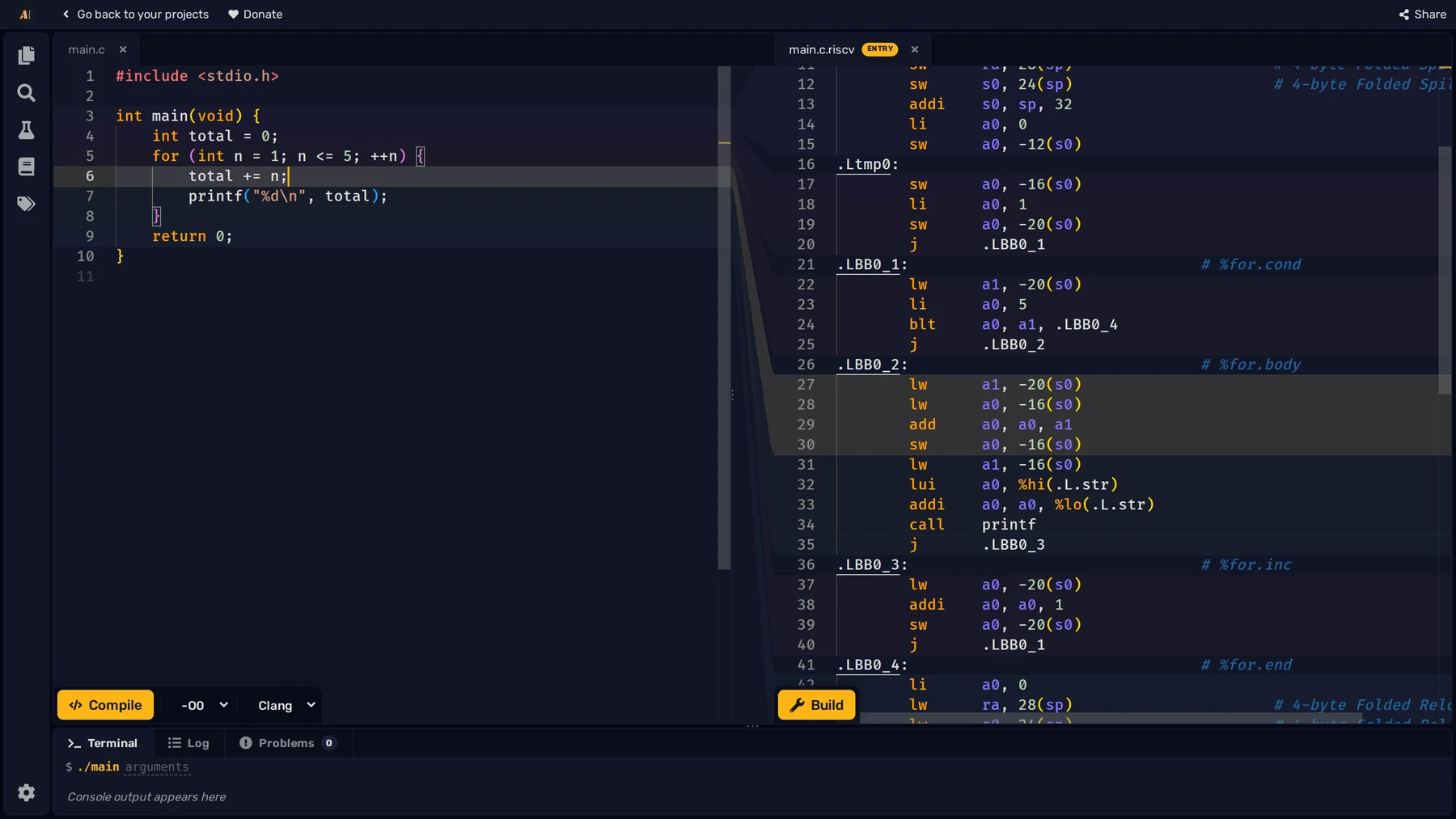
The optimization choices run from -O0 through -O3, plus -Os for size. Start at -O0 to follow the source closely, then recompile at -O2 to see how the compiler rearranges or removes work. A teacher can use the same source to compare compilers or optimization levels during a lesson.
Debug with the C/C++ source visible
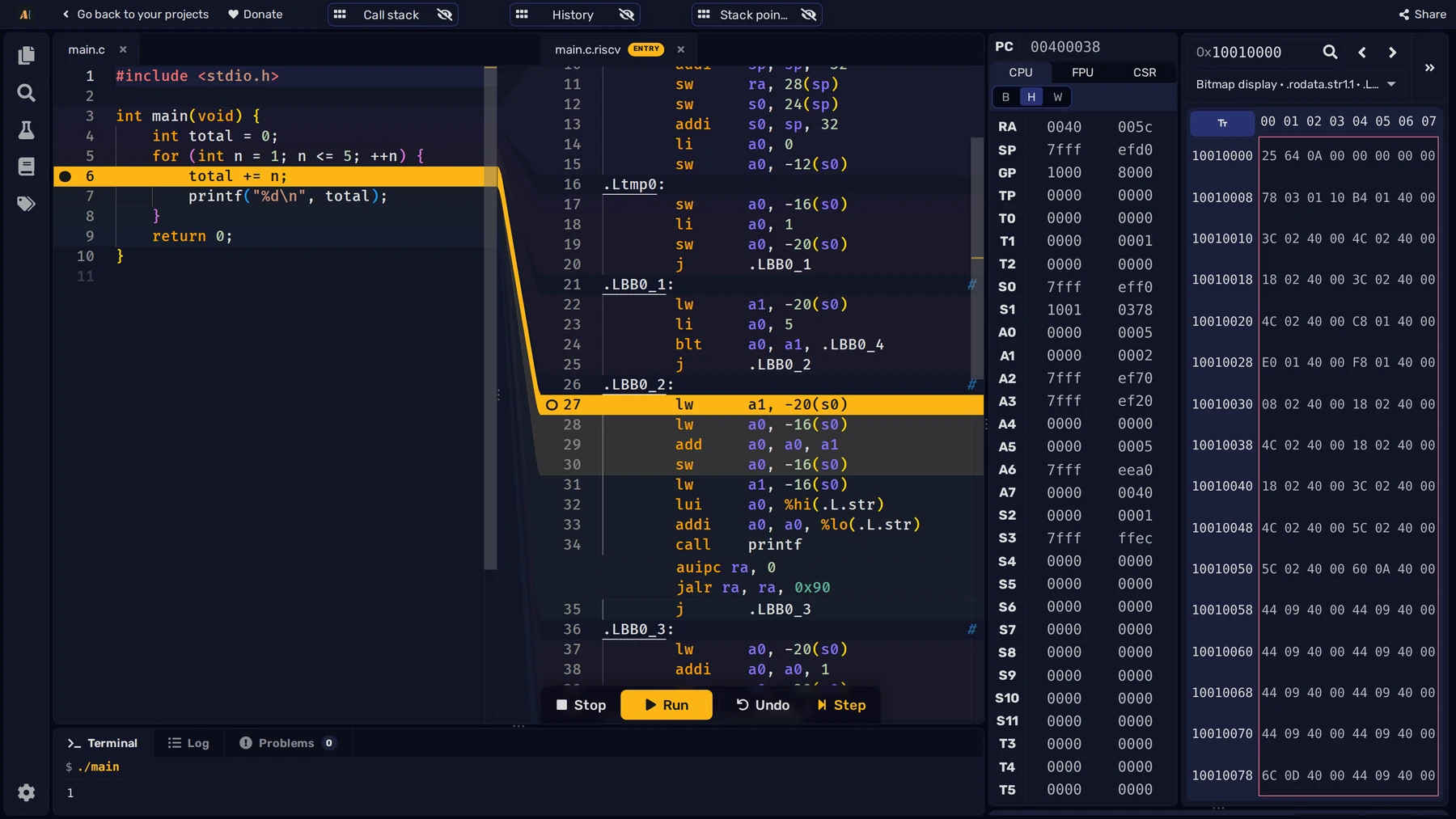
Breakpoints can now be set in the C/C++ source margin. Run pauses at the corresponding instructions, and Step and Undo keep the current source line highlighted as you move through the assembly. One C statement can take several steps. Watch the registers and memory to see how its result is calculated.
Use libraries from C and C++
MIPS and RISC-V programs now have a Runtime library with a subset of the C standard library. Include <stdio.h> for Terminal output with printf and input with scanf, or <stdlib.h> for memory allocation with malloc and free. String, file, and math functions are also provided. C++ has wrappers such as <cstdio> and std::printf, plus new and delete. <iostream> and containers such as std::vector are not supplied, and exceptions and RTTI are disabled. In this release, x86-64 compilation supports programs without standard-library calls.
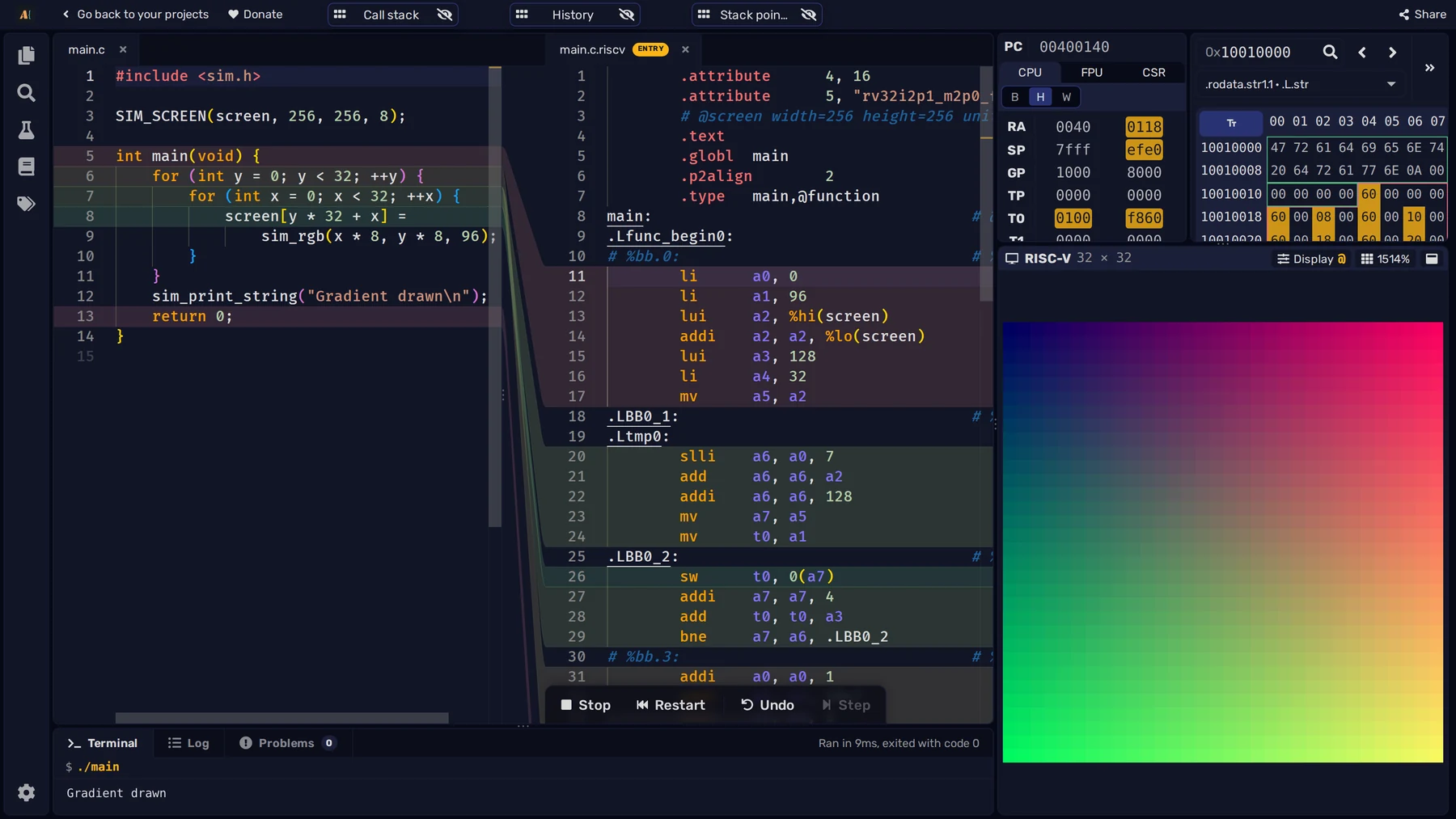
The Environment library, <sim.h>, gives C and C++ access to the simulator's services through sim_ functions: sim_print_int prints an integer, for example, and sim_sleep waits. On MIPS and RISC-V, SIM_SCREEN declares a pixel array for the Screen. Write colors made with sim_rgb into that array to draw pixels, then inspect the stores in the Generated assembly. On x86-64, <sim.h> exposes Linux system calls such as sim_write.
Here, two C loops fill the RISC-V Screen with a color gradient, and sim_print_string reports when drawing is complete.
For the step-by-step workflow, see Compile C/C++ with ASM Editor. The MIPS and RISC-V Documentation lists the supported library functions and simulator services.